
As new options become available, they may not fit into other categories, so they will be placed inside Other Settings.
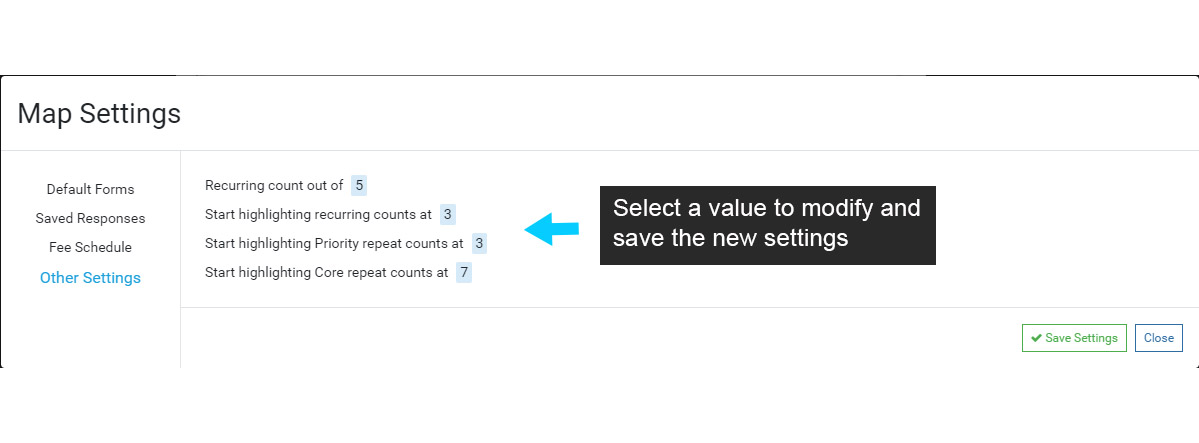
Food Specific #
- Recurring count
- Displays “out of #” on a repeat violation.
- Different settings for Priority and Core counts
- To turn off this feature for new records, set to 0
- An empty value will set it back to it’s default value
- Start highlighting
- When to visually show that a repeat violation has met a certain threshold.
- Different settings for Priority and Core counts
- To turn off this feature, set to 0
- An empty value will set it back to it’s default value
- Enforce inspection checklist
- Toggles whether the checklist should be shown at all times.
The ‘highlighting’ numbers will highlight the corresponding Repeat or Recurring number on a Violation when that Violation meets the Repeat or Recurring Count threshold.
For example, a Violation is added to an Inspection. The same Violation was also added at the two previous Inspections, so the Repeat Count = 3, meeting the Count threshold. In this example, the Repeat Count 3 will be highlighted when the Violation is added, drawing attention the the field for enforcement action.
Note that Repeat and Recurring reporting can also be setup to scan for Violations that have met the enforcement threshold, or that are close to meeting the threshold.
Septic Specific #
- Permit expiration
- Set the default number of days a newly created permit is valid.
Not Specific #
- Health department email address
- Set an email address to receive a copy of any email sent through FetchEH.
- Default from name
- Set the name which appears as the from name when sending and email through FetchEH.