
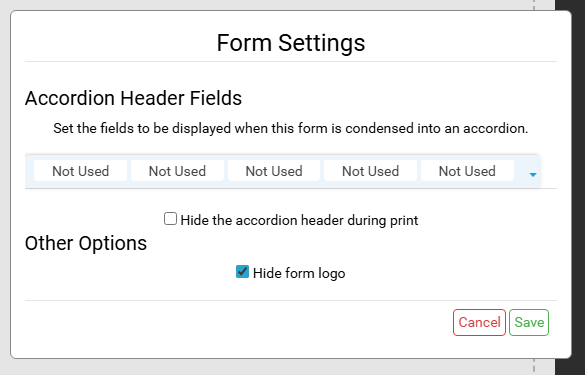
Form Settings are used to customize the appearance of an individual Form. There are options for modifying how a Form is viewed and how it is printed.
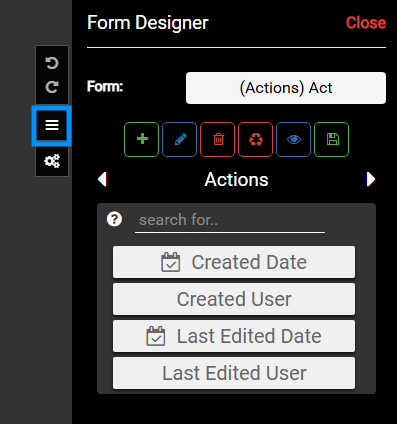
In Form Designer, select the Form Settings button to get started.
Learn more about creating Forms in Form Designer
Accordion Header Fields #
Managing Fields #
The Accordion Header Fields are used to manage what information is displayed in the Form’s Accordion.
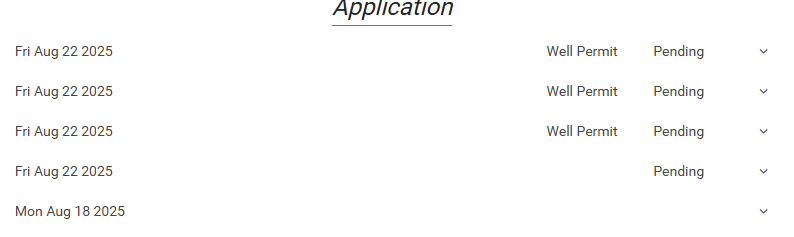
The default is to show three fields, of which created date is the first.
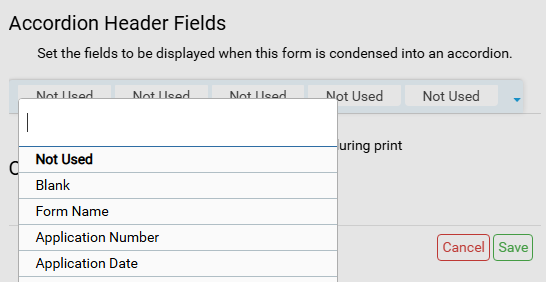
To change the field that is displayed in the Accordion, click the corresponding button and choose the desired field. If all the buttons say Not Used, the default fields are used.
Hide Accordion Header During Print #
Enabling this option will clean up the print by removing the accordion header from the print page. This can be useful when printing records and the desired output is for the individual records to flow into each other. For example, if there are several Soil Horizons present, hiding the Accordion Header will remove the ‘Soil Horizon’ header that is displayed for each Soil Horizon when printed.
Other Options #
- Hide Form Logo
- When the form is the parent form, meaning it is the form for the record selected in the map, there is the option to hide the logo when printing.
- This can be useful when designing complicated forms.