In order to perform Visual Insights, first an Area of Interest needs to be selected.
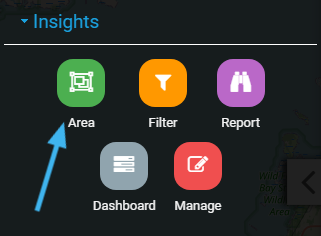
Clicking Area will open the Area of Interest Manager.
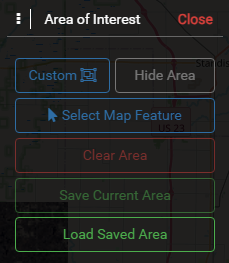
Custom #
Draw a custom polygon as the Area of Interest.
Select Map Feature #
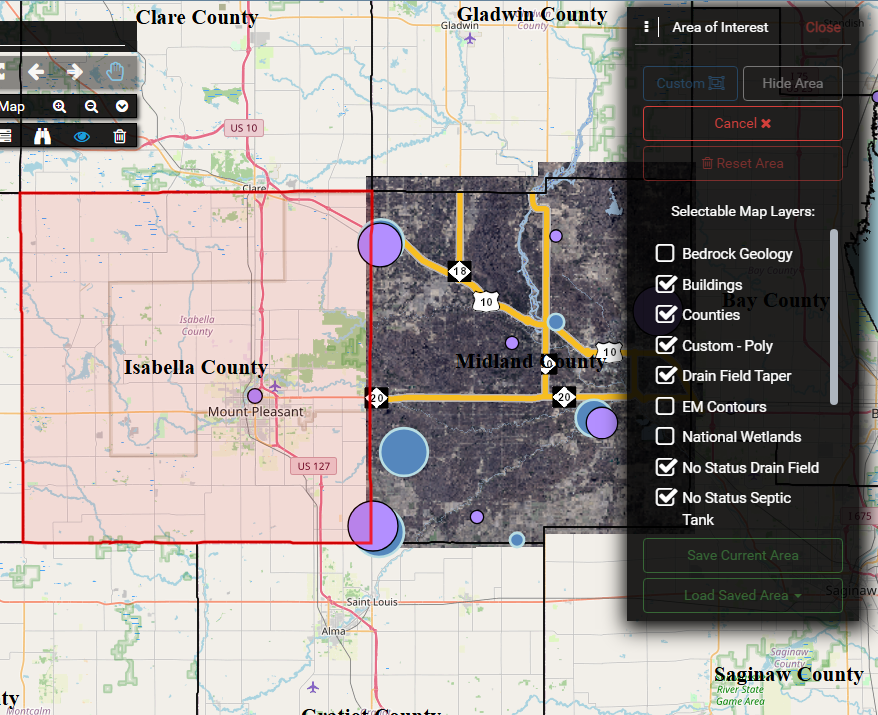
Allows the user to turn on a layer, and then select a feature in that layer to use are the current Area of Interest.
Reset Area #
Clear the current Area of Interest
Save Current Area #
Save the current Area of Interest as a Saved Area, to be used with Reports, or Visual Insights.
Load Saved Area #
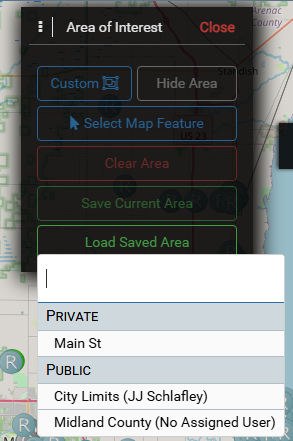
Select a named Saved Area to use for Visual Insights.
Management #
After loading a saved Area, more options will appear.
For Areas that do not have an assigned User, use the Mange Insights tool for assignment. This is required before any editing can be done.
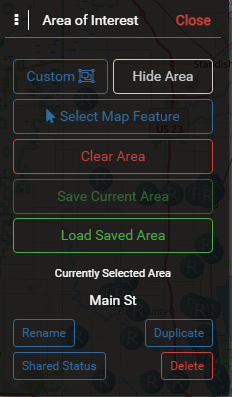
- Rename
- Shared Status – change whether the Area is hidden from other(private) or visible for others to use (shared)
- Duplicate – create a private copy of this Area
- Delete
Shared Areas are able to be used by everyone, but edited by only the owner.
Private Areas can only be used and edited by the owner.