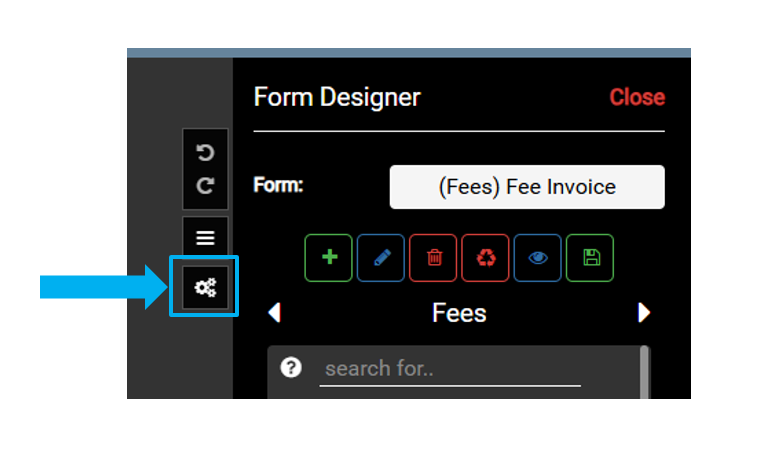
The Fee Schedule is available in the Sewage/Well Permitting and Food FetchEH.
The Fee Schedule is used to add, modify or remove Fees. Fees are assigned to map layers (System, Well, Restaurant, Pool) and tables (Application, Inspection, Permit, Contractor). Uncategorized Fees can be added to any map layer or table.
Once Fees are added to the Fee Schedule, they can be added to map layers or tables to track Fees. For example, a new System is mapped and an Application is added for a new Sewage Permit and Site Evaluation, which both have an associated Fee in the Fee Schedule.
The Fees for the new Sewage Permit and Site Evaluation can now be added to the Application.
Managing Fee Schedule #
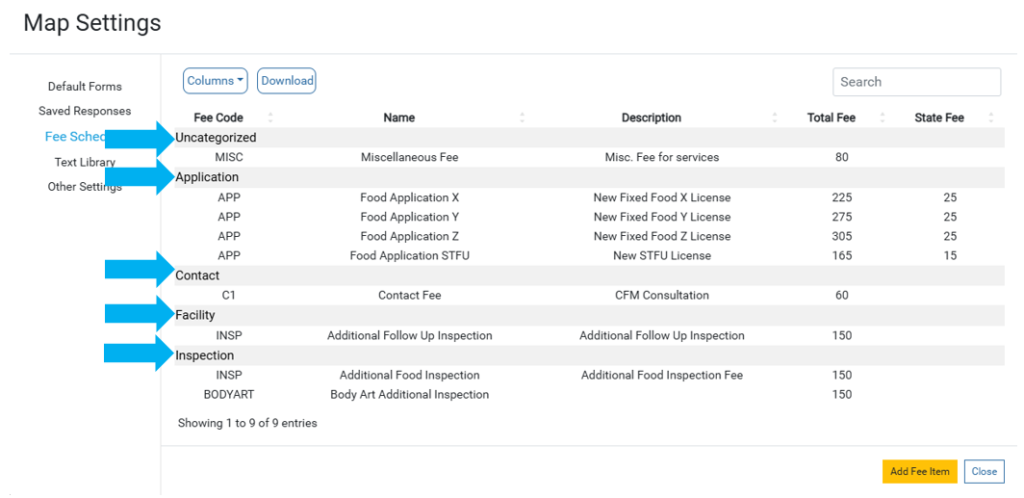
Fees in the Fee Schedule are organized by their corresponding map layer or table.
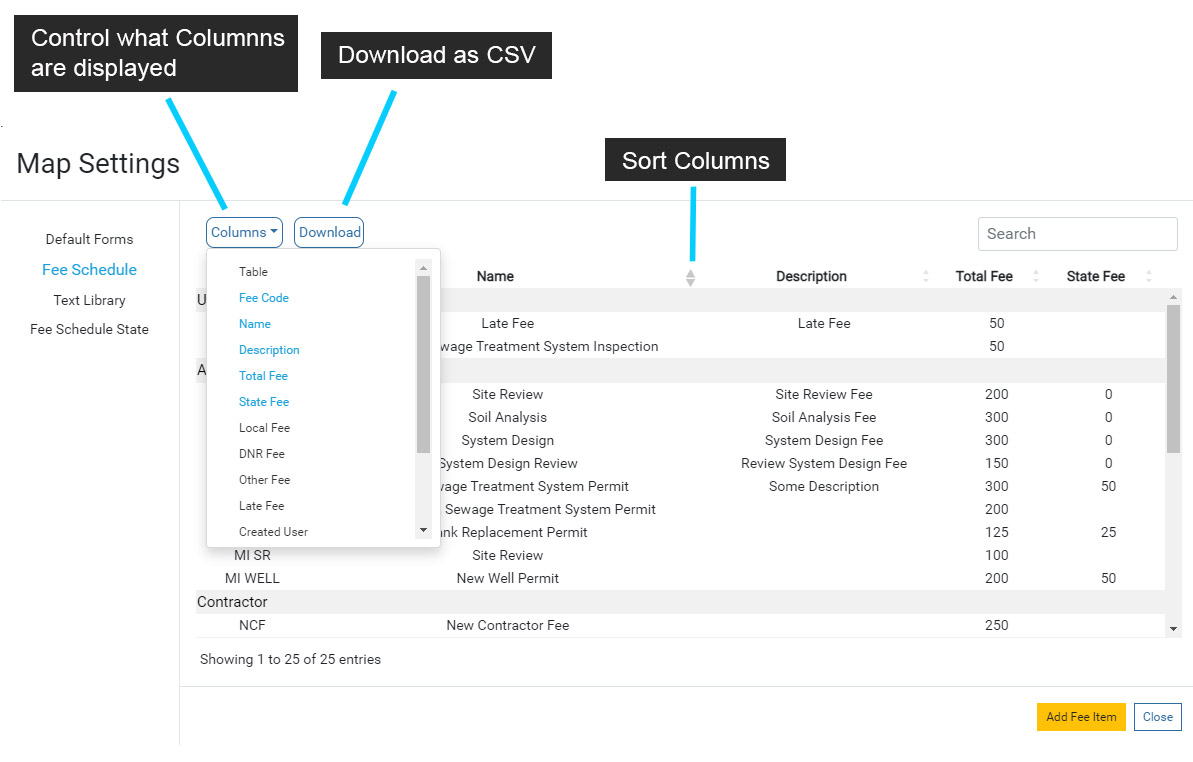
Use the Columns menu to modify what columns are displayed in the Fee Schedule. Note that each column can also be sorted.
Use the Download option to download a CSV of the Fee Schedule. It is recommended that you download a copy of the Fee Schedule before you make annual changes to Fees.
Adding or Modifying a Fee #
Select the Add Fee Item button to add a new Fee to the Fee Schedule.
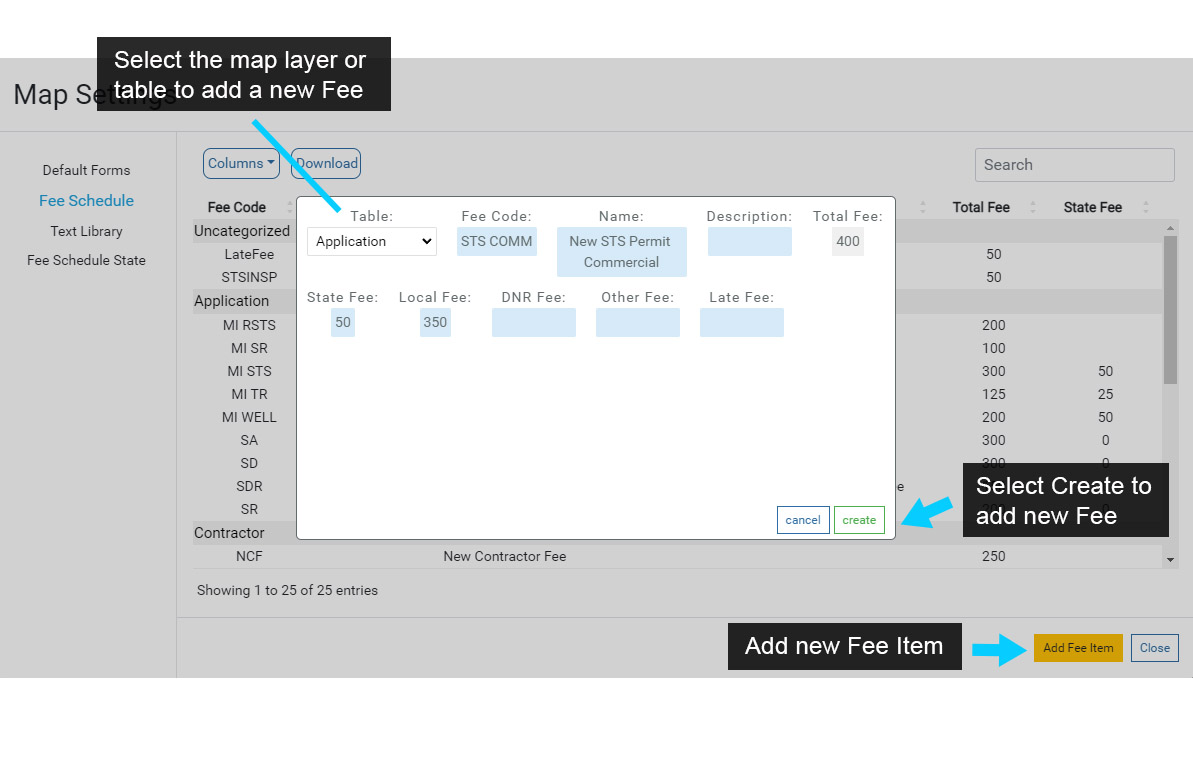
Use the Fee Item window to select the Fee Table, then fill in any fields that will be used for the Fee.
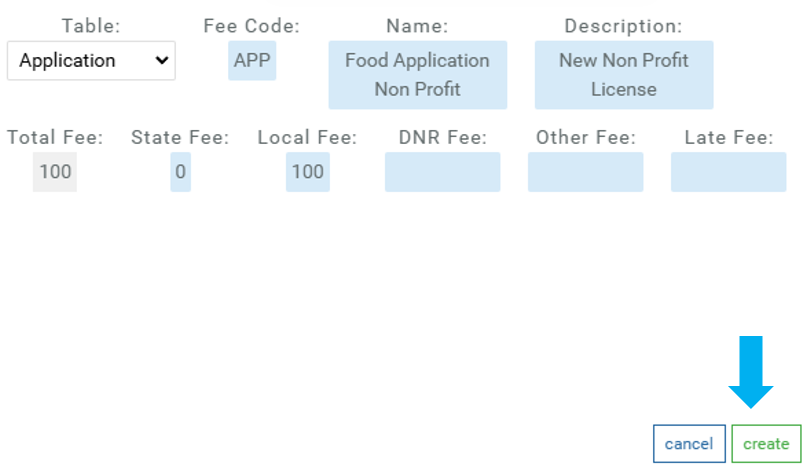
Select Create to save the new Fee to the Fee Schedule.
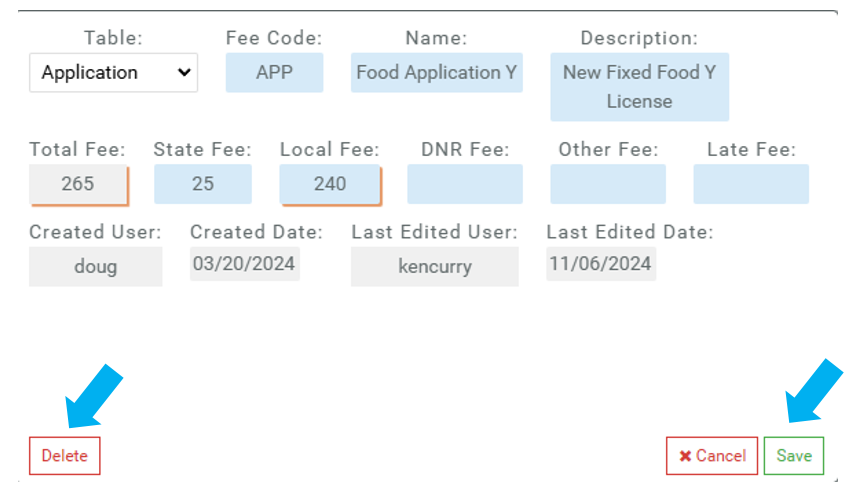
To modify or remove an existing Fee, select the Fee in the Fee Schedule to open the Fee Item window.
Next, modify any fields or select Delete to remove the Fee from the Fee Schedule. Note that removing a Fee is permanent.