
For FoodEH maps, there is a workflow for automating the creation of renewal fees during bulk application creation. This is useful when creating renewal applications on a yearly basis.
Set Up #
For this workflow to work correctly, all Facilities need to have the Renewal Fee field set. This can be set individually when the field is on a form, through the attribute viewer (if not on the form), or through the Bulk Update tool in Insights, see this article.
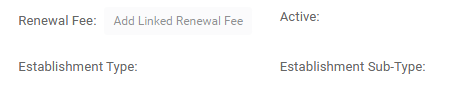
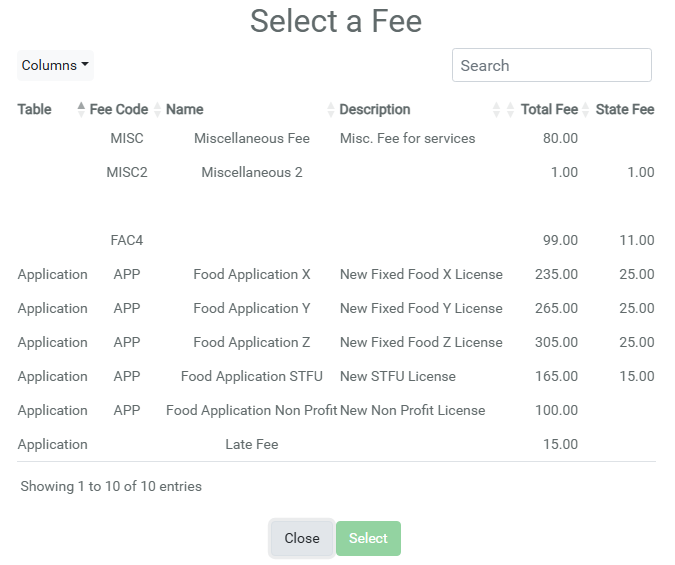
Clicking the Add Linked Renewal Fee button on the form will create a modal where a Fee can be selected. This button will also display the name of the previously chosen Fee, if one was present.
Bulk Applications #
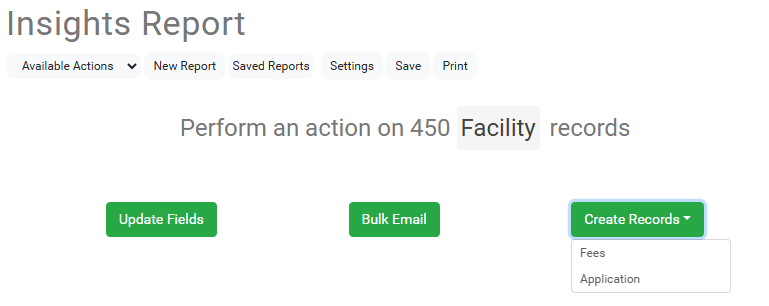
Run an Insights Report on the Facility, see this article if not familiar with creating Reports, and query for all the Facilities you want to create Applications for.
Under Available Actions, click the Create Records and select Application.
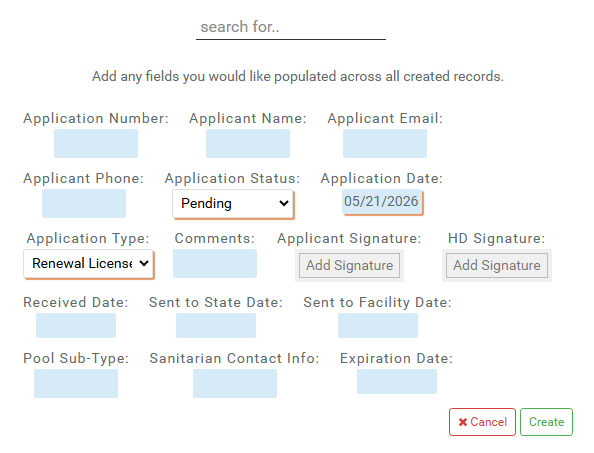
Fill out the Application fields as necessary.
After clicking Create, you are presented with a modal for confirmation. The bottom of the modal will contain any Facilities in the Insights Report that are missing, or have outdated, Renewal Fees.
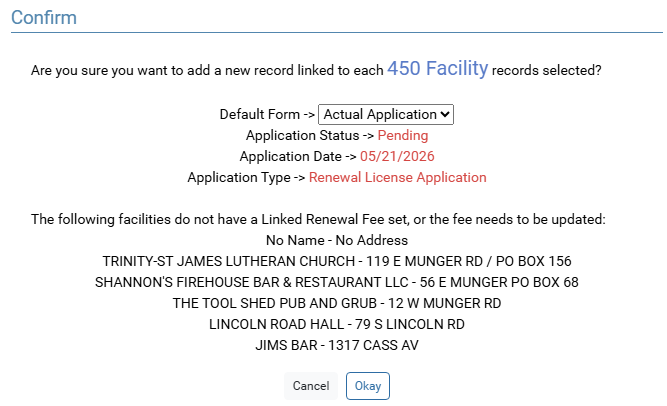
Clicking Okay will create the Applications, and then present another modal asking if Fees should be created. It will display the same warning about missing or outdated Renewal Fees.
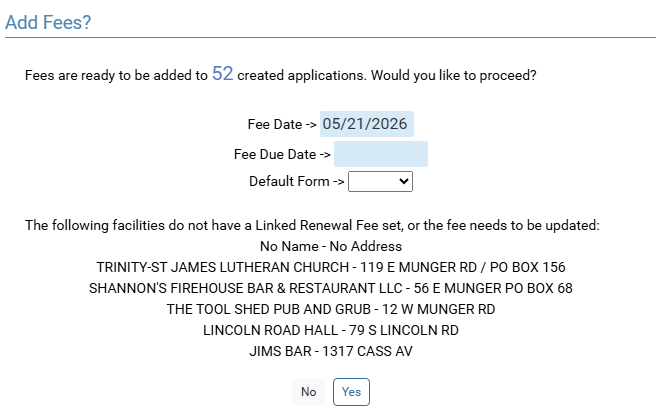
Clicking Yes will add the Renewal Fee saved on each Facility, on each Application that was just created.
Important Concepts #
- Renewal Fee must be set on each Facility.
- This workflow only works when creating in bulk; if creating Applications one at a time, the user will have to manually add the correct fee to the Application.