
Public Access allows the public to view EH data, but still gives the Health Department the ability to decide what is viewable.
There is a master enable/disable toggle, that when disabled will not allow any public access to the map.
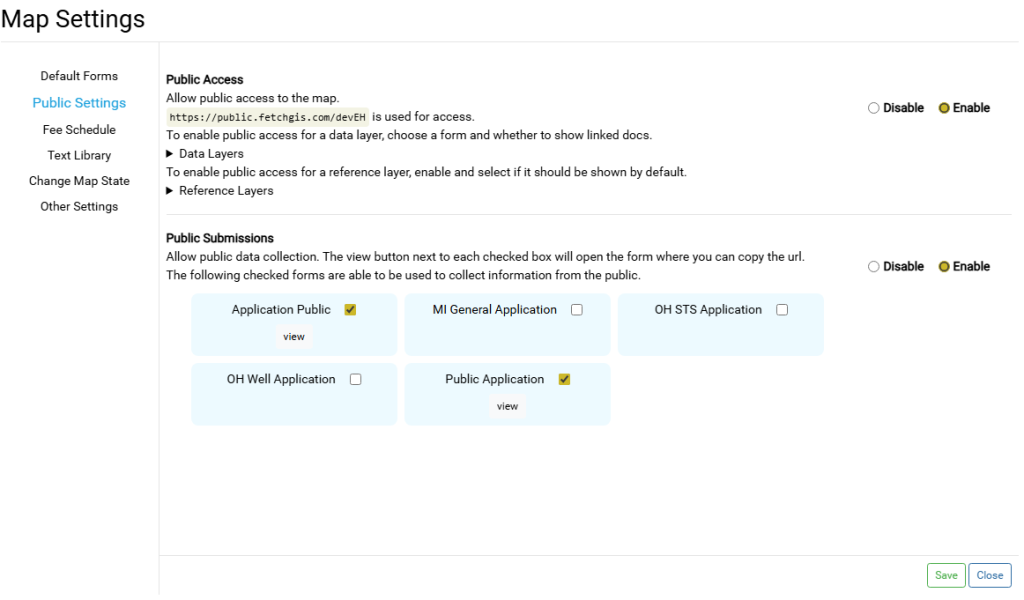
The public will be given access to the map and potentially all its layers, however many tools and options have been hidden on the public viewer to make it more simple to navigate.
Customizations #
Be sure to save before navigating away from the Map Settings modal.
Data Layers #
All data and table layers such as Systems and Wells, Facilities, Inspections, Fees, etc. can be shown or hidden in the public viewer.
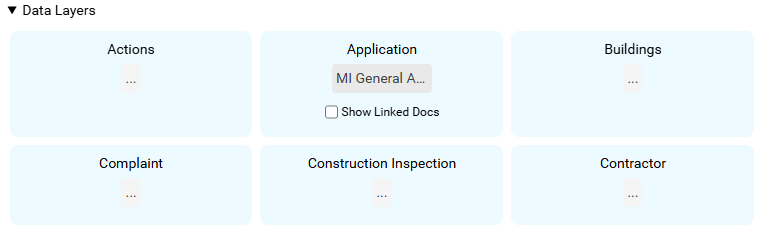
- Any form that has not been designated as Public Submission form is available. See this article.
- When a layer has a form chosen, that layer will be visible in the map.
- Depending on the form chosen, all fields in that form will be available for public viewing therefore, to hide fields, make sure the selected form does not include those fields.
- The chosen form is the only form that will be viewable for that layer, regardless of default or overwritten forms.
- By default, Linked Docs are disabled. To enable, check the box. This will show all linked docs for this layer.
Special Facility Inspection Options #
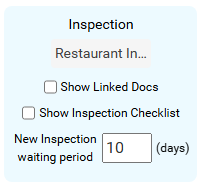
Facility Inspections have an option which hides/shows the Inspection Checklist in the public viewer. This only applies if the Checklist was used for that Inspection, otherwise the Checklist defaults to hidden when empty or not used.
Facility Inspections also have an option of having a waiting period. This waiting period will not allow inspections performed in the last x days to be visible in the Public Viewer. (Value of 0 days shows all)
Reference Layers #
All layers that are not editable data layers will be in this category and by default will be turned off.
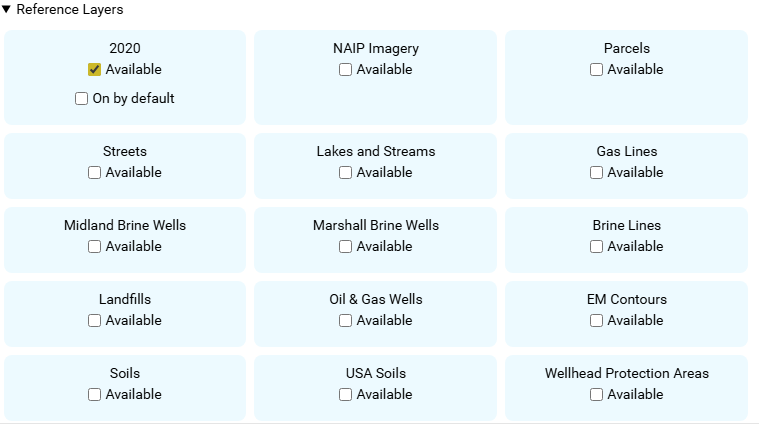
- By checking as Available, that layer will be available for toggling in the Table of Contents
- By checking On by default, that layer will be shown on the map on page load, regardless of the default visibility that layer normally has.
Public Viewer #
As a reference, below are some screenshots of how the public viewer differs from the normal map.
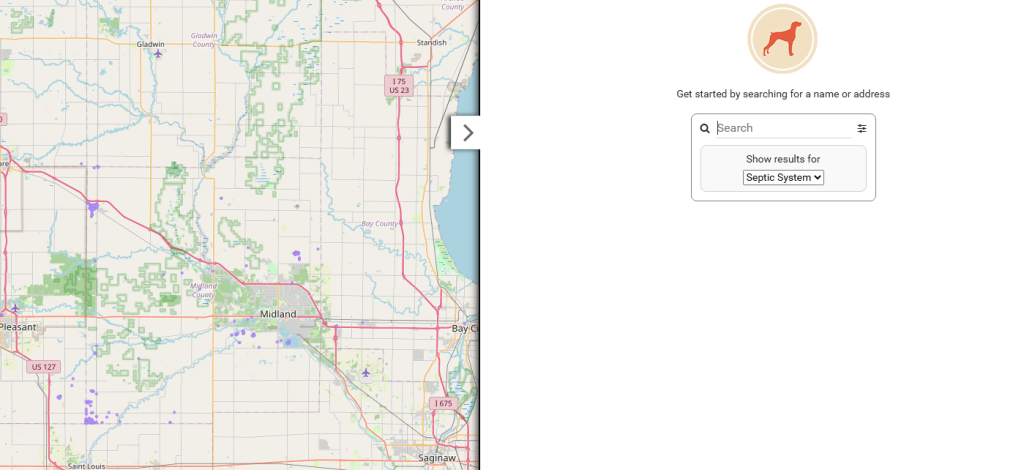
System and Wells have been turned into on-demand layers, meaning that you will not be able to click on a feature until zoomed further into the map.
The Search Options area is automatically shown, which allows for some filtering of the data.
For example, Food EH maps allow filtering based on date.
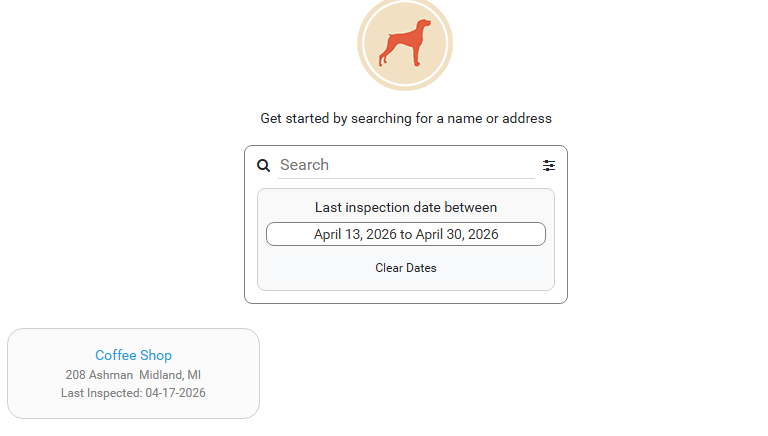
Public users are encouraged to search for the records they are looking for. But if they aren’t sure, the map is fully functional.
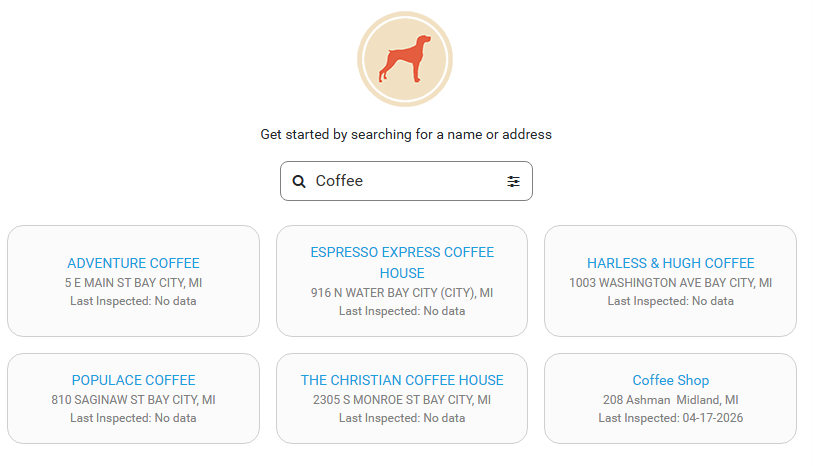
After selecting a record, the form chosen for that layer is shown just like normal.
Important Notes #
- Layers can be shown or hidden, and the fields in the chosen form are the only fields that will have any values for a record. Other field values are blocked and hidden from view.
- The Health Department has full control of all layers shown, including reference layers such as imagery. But basemaps are always available.
- The Public Viewer is a stripped down version of the map; the sole purpose being viewing and searching for data.