Managing Orphan Features
Jan 30th 2023
Orphan features are features that have been mapped, but are not associated with a System point. Orphan features may include the following:
- Building
- Septic Tank
- Drainfield
- Soil Boring
Orphaned features were created prior to the System point being integrated in FetchEH, or by Health Departments not using the System point once it was available.
It is important that mapped features be linked to a System point to take advantage of Insights (Visualizations, Filters, Reports) and Forms.
This section reviews how to move orphaned features to a new System point. This process is called Linking an orphan feature to a System point.
Linking Features to a System
Before linking orphan features to a System point you need to make sure a System point exists on the map. In most instances, this will mean mapping a new System point that is on the same property as the orphan features.
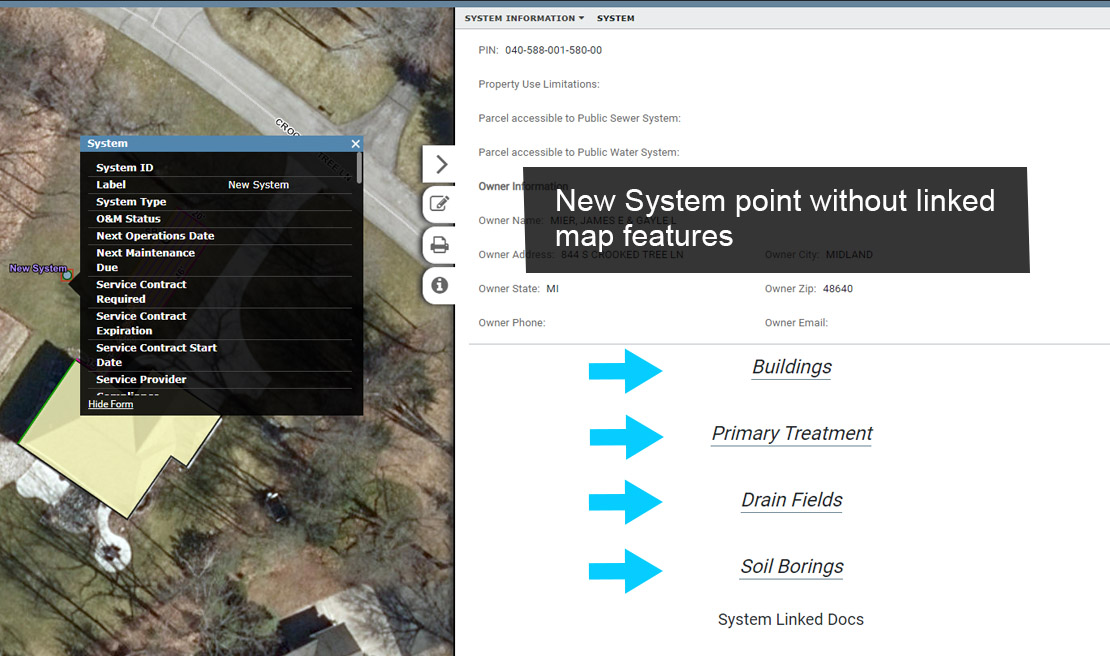
To link orphan features to a System point select the 'Feature Editing Controls' from the Main Menu.

In the side pane menu select 'Edit Features' (bottom of the side pane).
Next, select 'More Tools' to display additional tools available for editing features, and then select the 'Link' button.
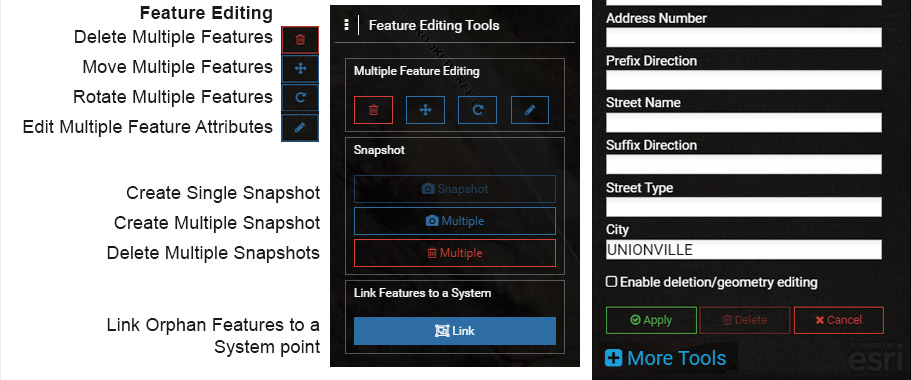
Select the orphan features that are to be linked to the new System point and the new System point. If you accidently select features that are not supposed to be linked to the new System point, toggle the checkbox off under 'Link' in the Window.
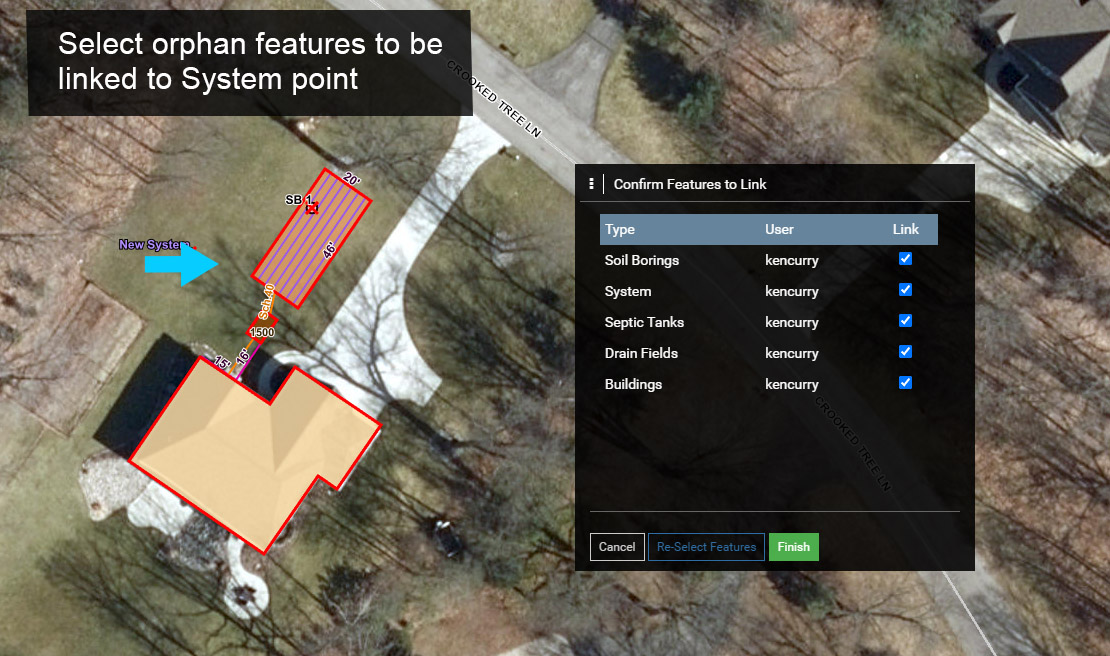
Select the 'Finish' button to link the selected orphan features to the selected System point.
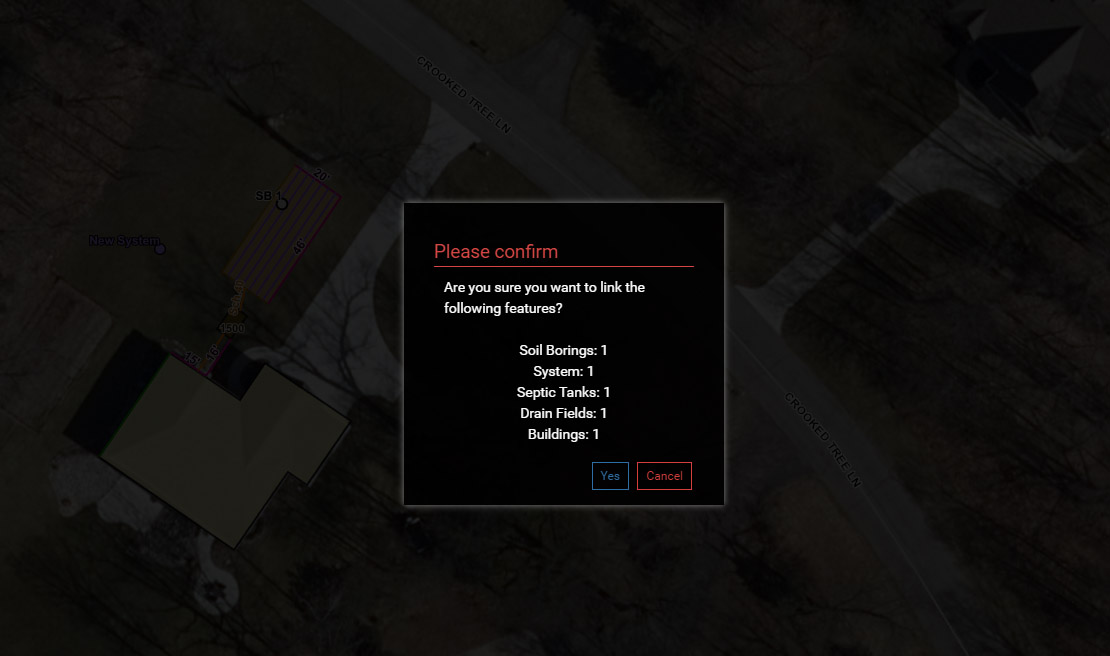
After selecting 'Finish', a Confirmation Window will open and list the orphan features that will be linked to the new System point. Select 'Yes' to proceed.
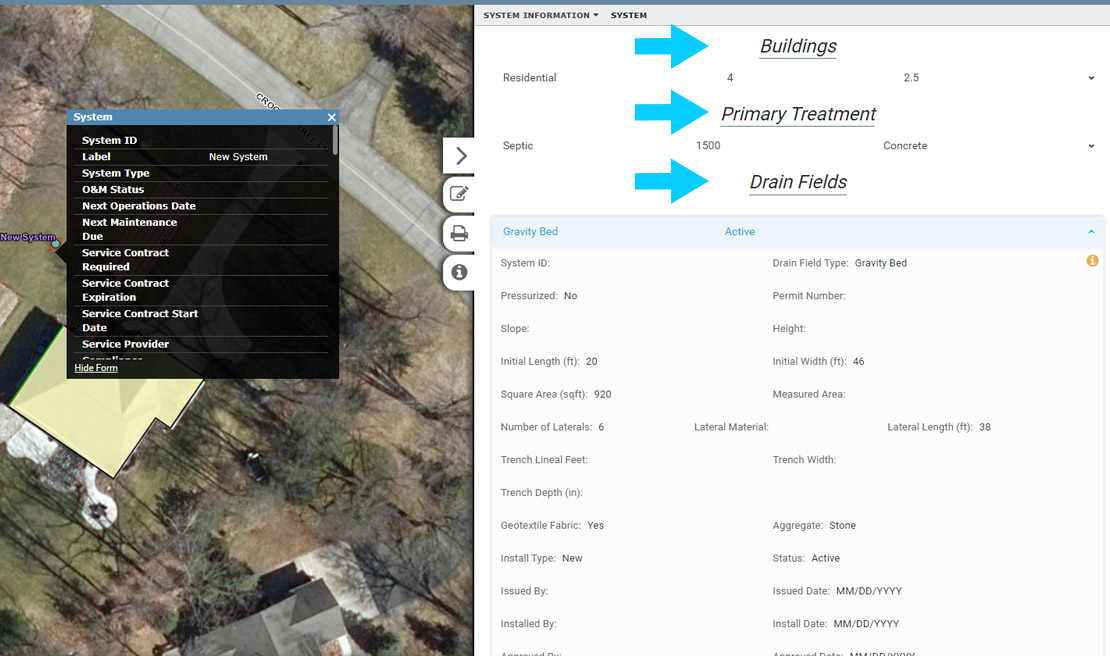
Select the new System point to see if the orphan features have been linked.